Skip to content
Implementation

From scattered work to a working system.

A useful CRM is more than a login. We scope the job, build the agreed process, verify the important paths, and help your team use it.

Discuss your setup
01

Understand the current process

We follow an inquiry from its first form, call, or email through qualification, assignment, and the next decision. We ask who owns each step, which details must be captured, and where a lead can currently stall or disappear.

Outcome: A shared map of the lead path and the decisions the CRM must support.

  • Lead sources and intake
  • Stages and qualification criteria
  • Current tools and migration needs
02

Agree on the launch scope

We choose the first pipeline, fields, tags, roles, forms, and automations that belong in your initial workspace. Your business name, logo, and colors are applied where supported. We also identify anything that needs a separate provider connection, registration, purchase, or approval.

Outcome: A written scope and setup quote, with channel dependencies called out.

  • Branding, pipeline, fields, and tags
  • User roles and assignments
  • Phone, SMS, email, and integration dependencies
03

Build and verify

We configure the agreed workspace and run controlled sample inquiries through it. We check that the right contact and opportunity are created, the intended owner is assigned, notifications reach the right people, and workflow conditions behave as expected.

Outcome: A tested path from inquiry to assigned next action, not just a configured menu.

  • Form and calendar paths
  • Workflow conditions and handoffs
  • Access and notification checks
04

Train and launch

We walk your team through the inbox, contact history, pipeline changes, and follow-up routine using the roles they will actually have. Before live use, we review calendars, sender readiness, payments if in scope, and any remaining approvals. Then we revisit the first real activity and adjust the agreed setup.

Outcome: A team walkthrough, launch checklist, and first-use review.

  • Team walkthrough
  • Launch checklist
  • First review and refinements
What gets built

From process map to daily workspace.

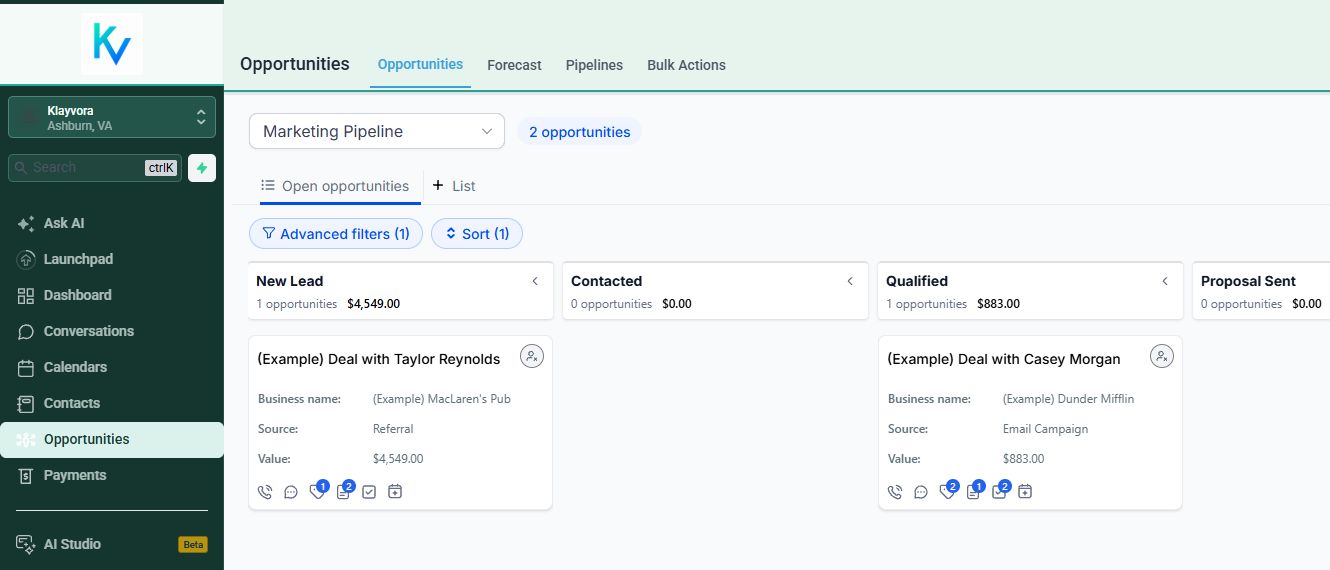
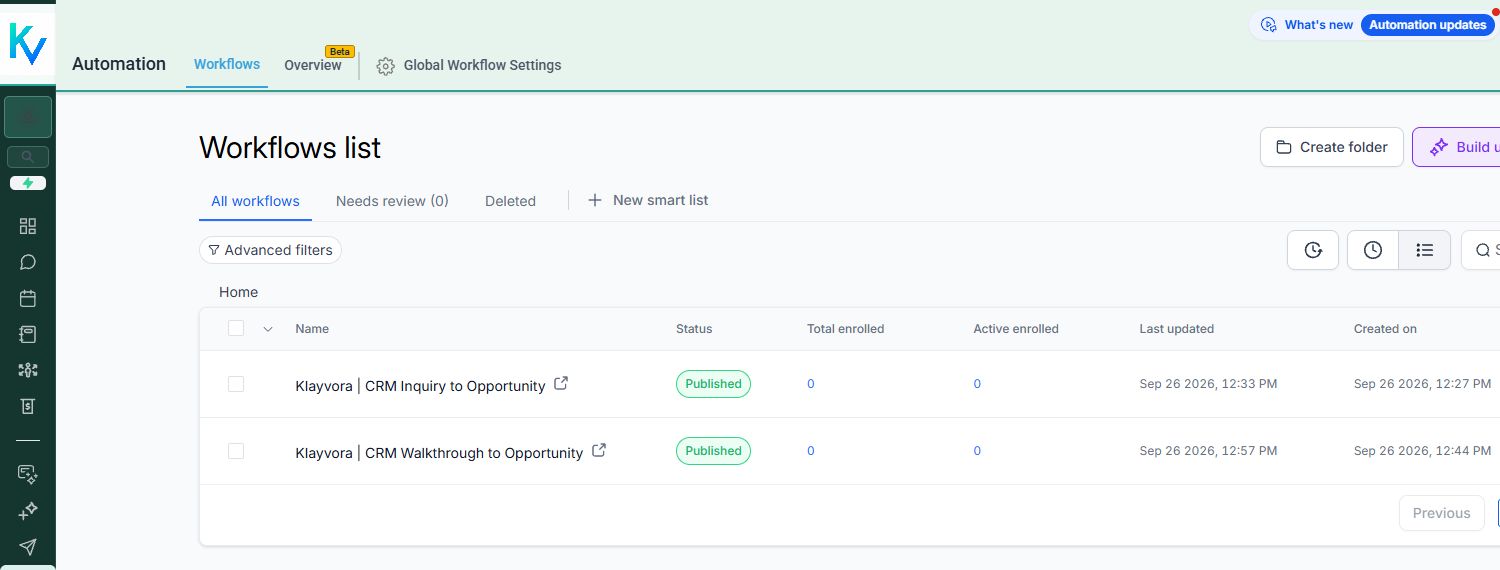
These real Klayvora CRM screens show the pipeline and automations we configure together. We use sample records to check routing, ownership, and the next step before relying on live customer activity.

Example opportunity pipeline in the Klayvora CRM
PipelineStages, ownership, and next actions are mapped to your process.
Klayvora CRM workflow list with sample inquiry automations
HandoffsWe test agreed intake and follow-up rules before enabling them.
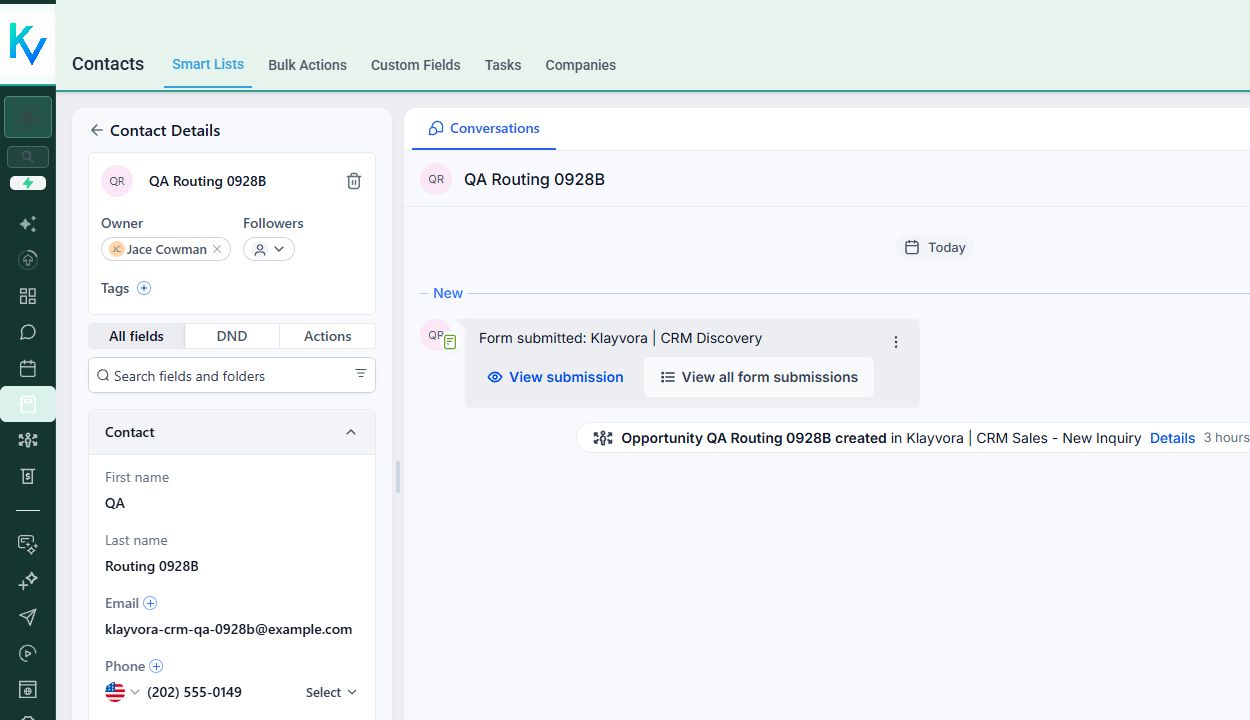
Synthetic inquiry record showing form submission, assigned owner, and created opportunity
Test inquiry · synthetic QA record
Launch review

We check the working day, not just the settings.

A finished configuration should answer practical questions: where did a new inquiry land, who owns it, what opportunity was created, and which action is due next? The screen beside this shows a controlled form submission reaching a contact record and creating an opportunity.

We then review user access, calendar ownership, sender readiness, and handoff notifications. Anything that depends on a separate provider, registration, or purchase stays off until that piece is ready.

Under the hood

Follow the path, step by step.

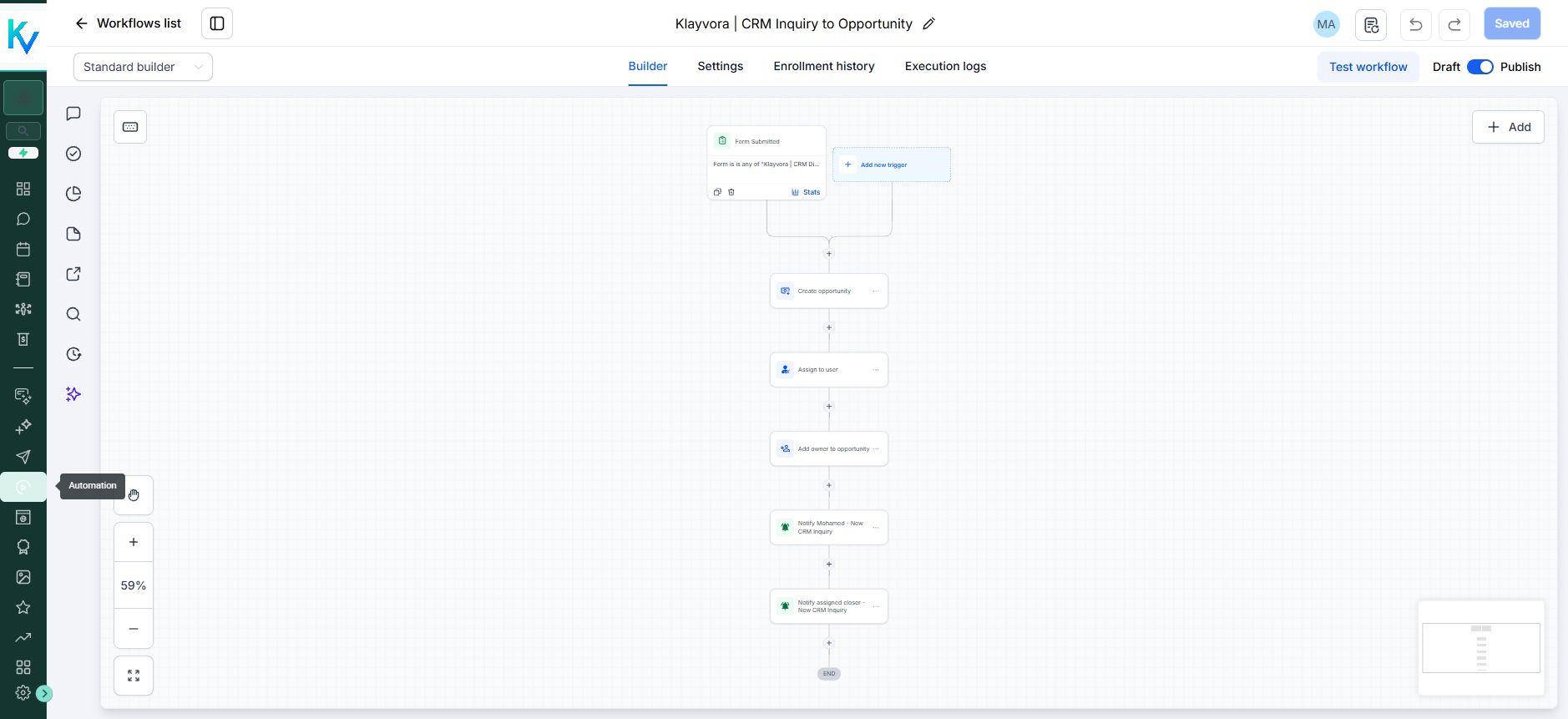
This is a real Klayvora inquiry workflow. The form trigger creates an opportunity, assigns ownership, and sends the agreed notifications. For a new customer, we design and test the corresponding path for their own process.

Klayvora workflow builder showing form intake, opportunity creation, assignment, and notifications
Workflow builder · Klayvora sales workspace
Migration and channels

We plan the dependencies, too.

Existing contacts and workflows can be reviewed for authorized migration. Historical conversations, phone numbers, sender domains, and third-party connections may need separate transfer steps. Calling, texting, and bulk email are not enabled until their respective setup and compliance checks are complete.

Your next step

Start with a walkthrough.

Show us one real lead path. We will outline a first configuration your team can put to work.

Request a walkthrough