Conversations with context
Keep contact history, notes, and connected conversations close to the person responsible for the next step.
Configured for your business.
Klayvora builds your CRM around the way your business actually works. Bring contacts, conversations, appointments, and sales pipelines into one workspace, configured with your workflows and branding, with help getting your team started.
30 minutes with our sales team · No payment to book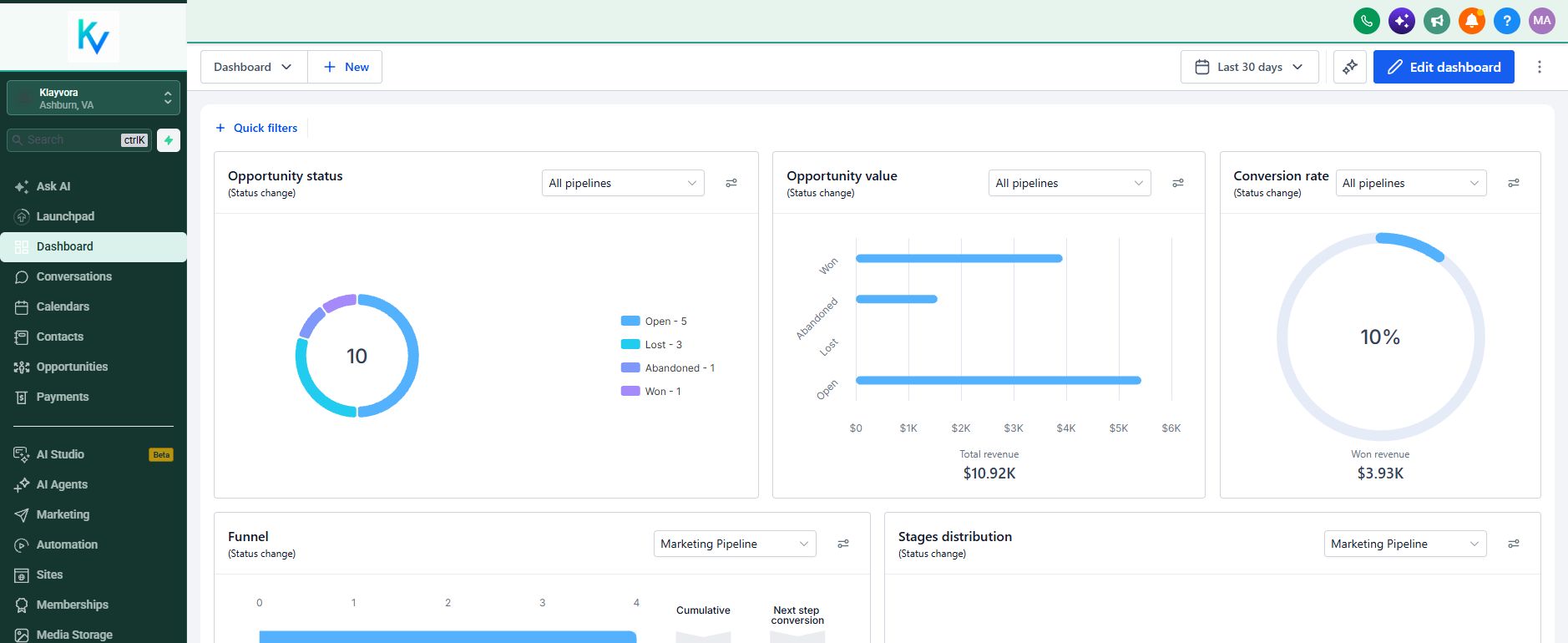
Know who reached out, what happened, and what should happen next. Your team gets a clear view of the work, not another collection of disconnected tabs.
Keep contact history, notes, and connected conversations close to the person responsible for the next step.
Organize opportunities by stage and owner. See what is moving, what is waiting, and what needs attention.
Configure intake, assignment, reminders, and tested automations around the way your team works.
Connect forms, calendars, and team tasks so a new inquiry has somewhere to go and someone to handle it.
Explore the actual Klayvora workspace. These are our real screens with example records; we configure your stages, fields, workflows, and access around your operation.
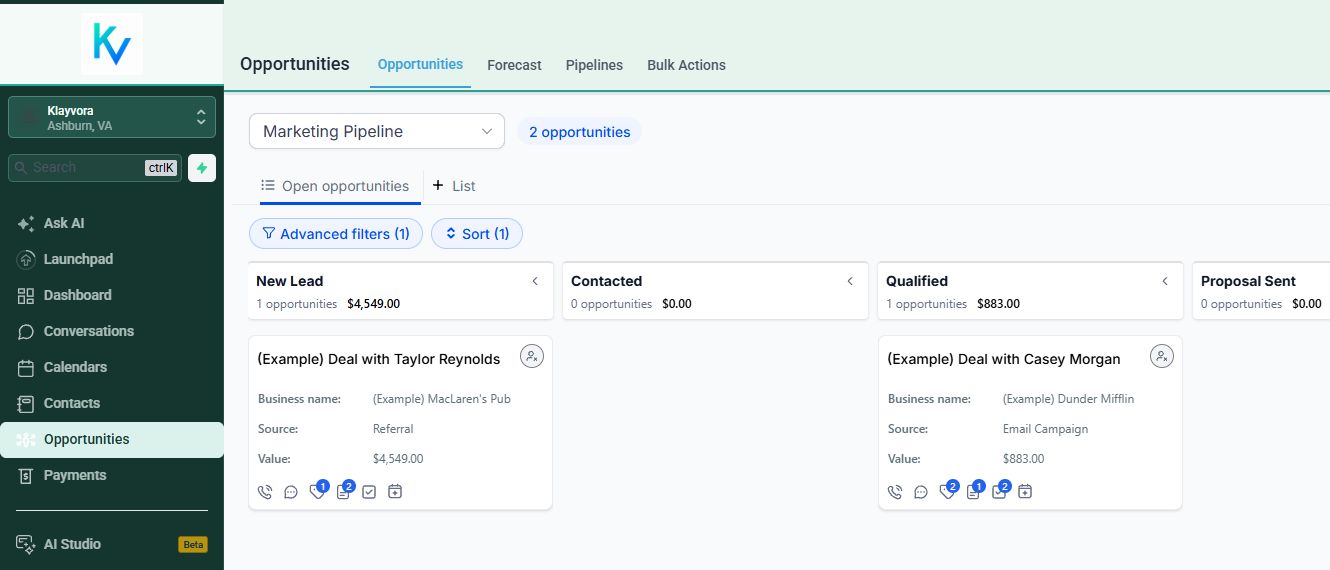
Actual Klayvora CRM. Example records and figures, not customer results. Your branding and configuration may differ.
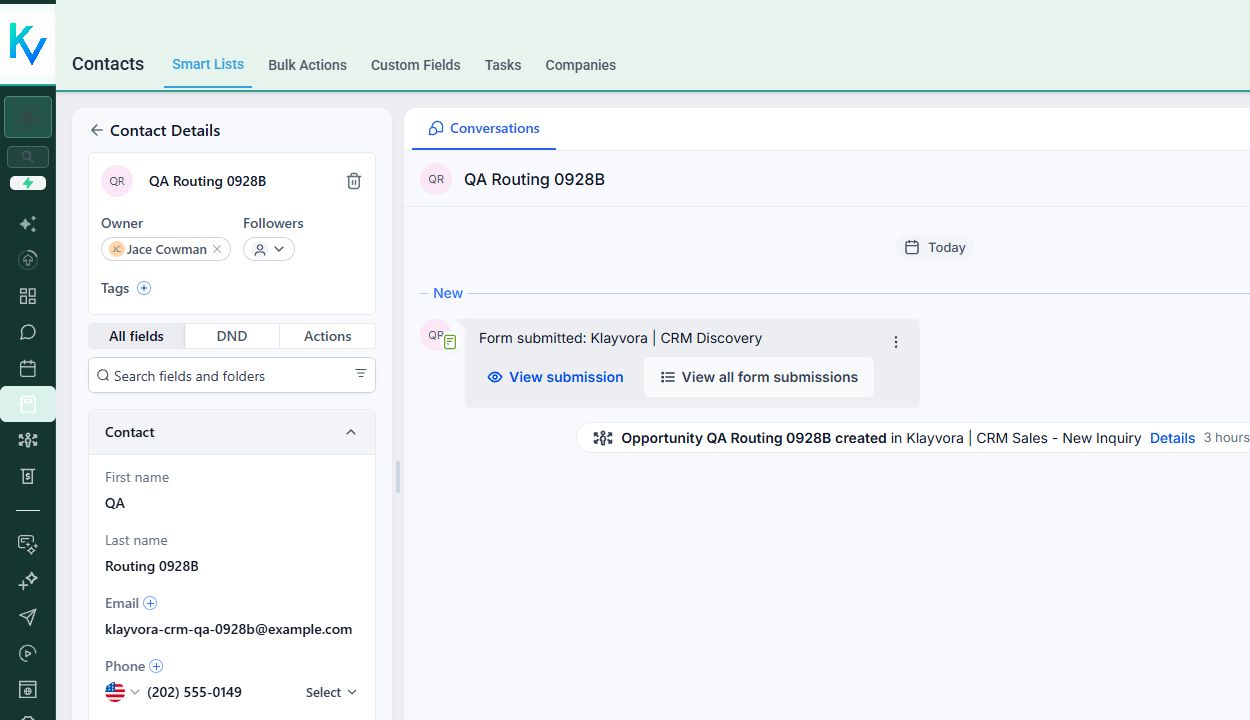
We build the system with your team. Your business name, logo, and colors belong on the workspace surfaces that support them, alongside the fields and stages your staff actually needs.
We map ownership, configure the agreed handoffs, and train your team. You get help turning the CRM into a working process, not just a login.
We do the setup with you: agree on a useful first build, test the handoffs, and help the people who will use it every day.
Where inquiries arrive, who responds, how you qualify a deal, and what belongs in your first workspace.
Set up your branding, pipeline, roles, intake, and follow-up. Assess supported migration and run controlled sample inquiries.
Train your team, review channel readiness, and check the first working day together. Launch timing follows the agreed scope.
Choose a starting monthly scope. We quote the one-time implementation separately, based on the process we agree to build with you.
A configured home for new inquiries, contact history, opportunities, and the daily follow-up routine.
A shared sales process with clear ownership, roles, and tested handoffs as more people work the same pipeline.
A separately scoped build when migration, more involved workflows, or outside systems shape the implementation.
Setup is quoted separately. Phone numbers, calling, SMS, email delivery, and third-party services can add registration or usage charges. A login does not activate those channels automatically. No payment is taken on this site.
From your branding to your first workflow, here is how a Klayvora setup works.
More about plans and setupYes. We map your process, configure the agreed workspace, apply your branding where supported, test the important paths, and train your team. You are not just handed a login.
Yes. We set up your business name, logo, and colors on the workspace surfaces that support them, then review the result with you. Some platform screens and connected services have their own branding limits.
Yes, after setup. A login does not activate those channels automatically: phone numbers, sender setup, each customer's applicable messaging registration, approvals, and usage charges are reviewed first. One customer's registration is not assumed to cover another.
Foundation is $150/month for up to five workspace users. Team is $300/month for up to ten users and adds roles, multi-owner routing, and handoff checks. Implementation is quoted separately after we review your process. Phone numbers, calling, SMS, email delivery, and third-party services can add registration or usage charges. No payment is taken on this site.
We can review an authorized export and plan a migration. We confirm what can be transferred before agreeing on the work. Conversation history, phone numbers, and third-party integrations can require separate transfer steps; they are not assumed to migrate automatically.
That depends on the agreed scope and what is already ready to connect. A clean workspace can be configured sooner than a migration or a new calling and SMS setup. We give you a launch plan after the walkthrough rather than promising a date before checking dependencies.
We provide the guided onboarding, team walkthrough, and launch review in your agreed scope. You can reach us at support@klayvora.io. Additional workflows, integrations, training, and changes are discussed and scoped with you rather than silently added to your bill.

Connect with other wholesalers on Discord. Explore free resources, ask questions, and talk through deals. Have questions about Klayvora? Ask about our CRM, workflows, plans, or getting your workspace set up.
No Klayvora CRM subscription is required to join.
A 30-minute walkthrough of the real product, your process, and a useful first build. No payment to book and no obligation afterward.